“Allow in the Background.” You've seen it. You have no idea what's on it.
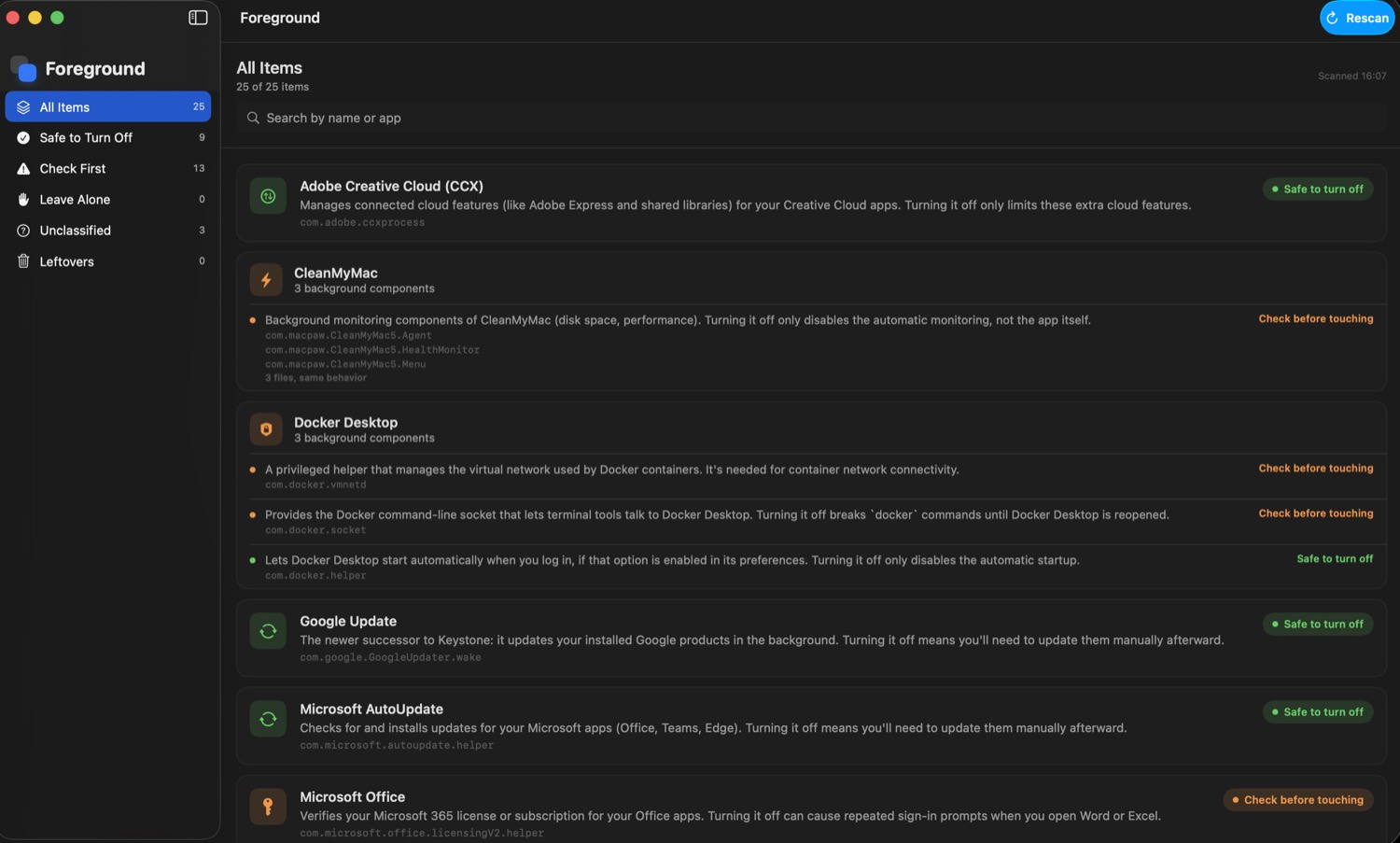
Foreground reads it for you: what each item is, which app installed it, whether you actually need it, and what happens if you turn it off. Plain English, zero jargon.
How it works
Scan
Foreground scans everything that starts on its own on your Mac, in seconds. It only looks — nothing changes.
Explain
For every item you get who installed it, what it actually does, and how risky it is to touch — plus one overall Mac Trust Score so you know where you stand at a glance.
You decide
Foreground never turns anything off or deletes anything on its own. The decisions stay yours — we just give you what you need to make them well.
Built for people who aren't tech experts
No subscription
One payment, the app is yours for good. No auto-renewals.
Never touches anything without asking
Foreground reads and explains. It doesn't disable or delete anything on its own.
Works offline
The app database is already built in — no internet connection needed.
Plain language, always
Every explanation reads like a friend explaining it — never acronyms or technical fine print.
Frequently asked questions
Yes. Foreground only reads information already on your Mac — which programs start on their own — and never modifies, disables, or deletes anything unless you explicitly choose to elsewhere.
No. App recognition uses a database built into the app itself: it works offline, on a plane, or without Wi-Fi.
No. Foreground only reads what your own user account can already see — it will never ask for your admin password to run a scan.
macOS 13 (Ventura) or later, on both Apple Silicon and Intel Macs.
Foreground is early-stage and not yet notarized by Apple (that costs a yearly developer fee we're not paying until we're sure people want this). The first time you open it, right-click the app and choose "Open" instead of double-clicking — macOS will ask you to confirm once, and that's it. The app itself never asks for your admin password.
Finally see what's actually running on your Mac.
One-time payment, instant download, works offline.
Buy Foreground — $15